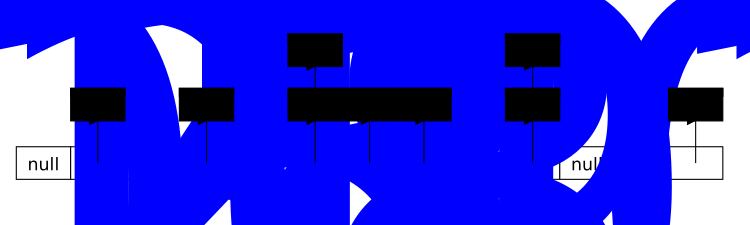
Up until now, we have been focusing on closed hashing or open addressing, where we are locked into storing items within the array itself and every cell can only store one item.
An alternative approach, known as open hashing or separate chaining, is to have not just one item per cell, but instead to store a data structure at each cell that can hold multiple items. The hash function will still determine which cell to use for each item, but then we will add the item to the data structure at that cell instead of just storing it directly in the cell.
The names are a bit confusing. Open and closed hashing refer to whether we are “open” or “closed” to storing items outside of the array. In closed hashing, we are closed off from storing items outside of the array, and in open hashing, we are open to storing items outside of the array.
Although we can use other data structures, the simplest way to implement open hashing is to store a linked list of items in each cell of the array. Linked lists have the advantage of taking up minimal space while they are empty, and can grow to accommodate as many items as we need without needing to worry about resizing.
This approach means we no longer worry about probing to resolve collisions. When we want to insert an item, we will compute its hash to determine which cell to store it in, and then we will add it to the linked list at that cell. To find an item, we again compute its hash and then search through the linked list at the corresponding cell.
You can click and drag on the animation area to pan around. Use the Ctrl + mouse wheel (or touchpad scroll gesture) while over the animation area to zoom in and out.
When removing items from an open hash table, we can simply remove the item from the linked list at the corresponding cell. Thus we do not have to worry about leaving behind tombstones. (You can try it out in the animation above.)
When using open hashing, we don’t have to worry about keeping the load factor significantly below 1 because we can’t build up clusters of occupied cells in the array. We can even have a load factor greater than 1, and still have efficient operations as long as the data is relatively randomly distributed across the cells. If we have 50 cells, and 100 items evenly distributed, we would only have 2 items per cell to search through.
The expected work to find an item in an open hash table is proportional to the load factor, \(O(n/m)\) where \(n\) is the number of items and \(m\) is the number of cells in the array. If \(m\) is fixed at a value like 100, then the expected work is \(O(n / 100)\) which is still \(O(n)\text{.}\) On the other hand, if \(m\) grows in proportion to \(n\text{,}\) then \(n / m\) will remain below some constant. For example, if we grow the table so that \(n\) is never more than \(2m\) (i.e. any time the load factor exceeds 2), then the expected work will be \(O(2m / m) = O(2)\text{,}\) which is a constant.
So, while using this approach, we will still want to grow the table once the load factor hits some constant threshold. We can get away with a higher load factor than we could with closed hashing, but we still want to grow the table at some point to maintain efficient operations. And when we grow the table, we will still need to rehash all of the items and reinsert them into the new table, just like we did with closed hashing.
Open hashing is likely simpler to implement because we don’t have to worry about probing or tombstones. We can even use a built-in linked list data structure to store items at each cell, which can further simplify the implementation.
In terms of space requirements, both will require storing an array of size \(m\text{.}\) In open hashing, that array will be pointers (or linked list objects) and we also will need to store \(n\) items in the linked lists, and each of those items will store a next pointer. The total space will be proportional to \(m + n\text{.}\)
Imagine we are storing 8 byte integer values and that pointers are also 8 bytes in size. If we have a hash table with a table size of 100 and there are 10 values currently being stored, we would store an array of 100 pointers (800 bytes) and then store the 10 values (80 bytes) and 10 next pointers (80 more bytes) for a total of 960 bytes.
Closed hashing might not require any extra space beyond the array of size \(m\) because all the values will be stored inside of it. So for our example of 10 ints stored in a table of size 100, we would just need 800 bytes. But, if we have a parallel array storing the status of cells, we will double that space.
If data items are large, it can be more expensive to store an array of records in the array than to store empty linked lists. Imagine that we are storing records that are 1 KB in size. If we have a closed hashing table with 100 cells, we would need to allocate 100 KB of memory for the array, even if we only have 10 items in the table. On the other hand, if we use open hashing, we would only need to allocate memory for an array of 100 pointers (800 bytes) and then allocate memory for the 10 items plus their next pointers (10 * 1 KB + 10 * 8 bytes), for a total of about 10.08 KB.
We can overcome that downside in closed hashing by using an array of pointers to records instead of an array of records. However, doing so would require us to dereference a pointer every time we want to access an item in the table, which will end up eliminating one of the key speed advantages (below) of closed hashing.
In terms of speed, much will depend on the quality of the hash function, the distribution of data, and how we limit the load factor. However, if we assume that the data is randomly distributed across the cells, and the load factor is kept low enough that we rarely have to probe more than a few cells, then closed hashing will likely be substantially faster because it make better use of the cache.
The difference between having to make a trip to main memory, versus accessing data that is already in the cache, can be on the order of 100x slower. For the purposes of our discussion we will assume a cache reference takes 4 units of time and a main memory reference takes 400 units of time.
In the closed hashing approach, we will retrieve index 3 of the array from main memory. (400 units of memory time). Then we will see that the wrong value is there and we need to probe to location 4. When we retrieved index 3 of the array, the surrounding memory was moved to the cache. So accessing index 4 will only take 4 units of time. We thus find “Sandra Jackson” using 404 units of time. Each additional probe will only take 4 more units of time unless we travel far enough that we leave the chunk of memory that was moved to the cache.
Now consider what happens with open hashing, illustrated in the figure below. Accessing index 3 in the array takes 400 units of time. That would bring other array elements into the cache, making them cheaper to access, but we don’t need any of them. Instead, we follow a pointer to the first element in the linked list, which is likely not in the cache and requires another 400 units of time to access. This would bring the memory around the “Doug Jones” record into the cache, but again, we don’t make use of any of that memory. Then we see that record is not the one we want and follow another pointer to yet yet another new part of memory (the part that has the Sandra Jackson record), which costs another 400 units of time. This is a grand total of 3 main memory trips and 1200 units of time waiting on memory. That is almost 3x more memory time than the closed hashing approach.
Properly implemented, both open and closed hashing should guarantee \(O(1)\) expected time for insertions, lookups, and removals. They also will both require \(O(n)\) space. There can however be significant differences in the constant factors for both time and space.