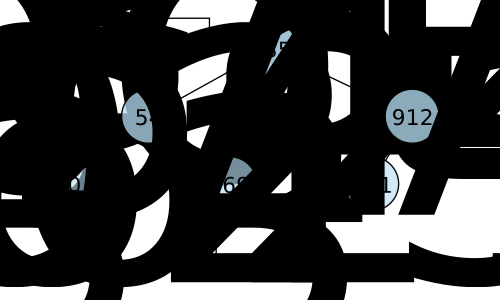
Another data structure that uses random information to maintain balance is the treap. A treap is a binary search tree that also maintains a heap property. Only instead of the heap property being based on the values of the nodes, it is based on a separate priority value that is randomly selected for each node as it is inserted.
Figure32.11.1.A treap. Each node has a priority value (shown next to the node) and a value (shown inside the node). The structure is a valid binary search tree with respect to the values and a valid heap with respect to the priorities. (The nodes are also colored based on their priorities. Darker blue indicates higher priority.)
Every time a value is added, we generate a random priority for it. We then insert the new node into the tree based on its value, just like we would in a normal binary search tree. After inserting the node, we check if the heap property is violated. If the new node’s priority is greater than its parent’s priority, we perform rotations to move it up the tree until the heap property is restored.
But because each node gets a random priority, the structure of the tree the Treap produces is different. Press the Reset button a few times to see how the structure changes from run to run as the random priorities change.
Then try inserting other values. As a value is placed in a leaf position, look at its priority. Compare that to the priority of its parents and try to guess its final position before stepping through the rotations.
You can click and drag on the animation area to pan around. Use the Ctrl + mouse wheel (or touchpad scroll gesture) while over the animation area to zoom in and out.
This process means that any given node can end up as the root node, not just the first node we insert. In addition, each time a node moves up through the heap it also changes the structure of the tree. Although not every change will make the tree more balanced, on average, the random priorities will help to keep the tree balanced.
In fact, it can be shown that the expected height of a treap, and thus the average time complexity for search, insertion, and deletion operations is \(O(\log n)\text{.}\) However, this is a probabilistic guarantee, not a strict guarantee. It is possible to get unlucky with the random priorities and end up with a very unbalanced tree. In the worst case, the height (and thus the common operations) could end up being \(O(n)\text{.}\)
A treap has a probabilistic average time complexity of \(O(\log n)\) for insert/find/delete, but the worst-case time complexity can be \(O(n)\text{.}\)