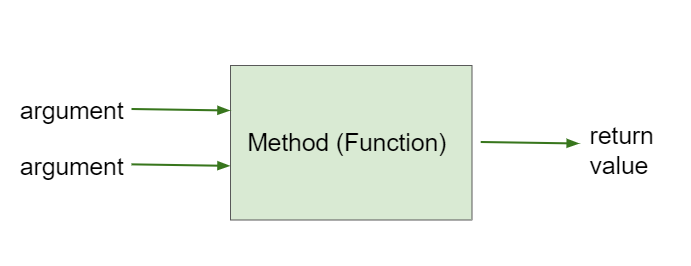
If a method is a void method and has void as its return type, like most of the methods we have seen so far, that means that it does not return anything. But some methods return a value back that the program can use.
When you use a method that returns a value, you need to save what it returns in a variable or use the value in some way for example by printing it out. The data type of the variable must match the data type of the return value of the method. You can find out the return type of a method in its documentation. It will be right before the method name, for example int[] getPosition() means getPosition will return an int array (an array of integer numbers).
A common error is forgetting to do something with the value returned from a method. When you call a method that returns a value, you should do something with that value like saving it into a variable or printing it out.
Subsection6.10.1Methods with Arguments and Return Values
Methods that take arguments and return values are like mathematical functions. Given some input, they return a value. For example, a square(x) method would take an argument x and return its square by multiplying it by itself.
You should be able to trace through method calls like below. Notice that the return statement in a method returns the value that is indicated in the return type back to the calling method. The calling method must save or use or print that value.
To use the return value when calling a method, it must be stored in a variable or used as part of an expression. The variable data type must match the return type of the method.
public class MethodTrace
{
  public int square(int x)
  {
      return x*x;
  }
  public int divide(int x, int y)
  {
        return x/y;
  }
  public static void main(String[] args) {
      MethodTrace traceObj = new MethodTrace();
      System.out.println( traceObj.square(2) + traceObj.divide(6,2) );
  }
 }
5
Make sure you call both methods and compute the square of 2 and then add the results.
7
Yes, square(2) returns 4 which is added to divide(6,2) which returns 3. The total of 4 + 3 is 7.
4 3
Make sure you add the results before printing it out.
2 3
Make sure you square(2) and add the results before printint it out.
The Liquid() constructor sets the currentTemp instance variable to 50 and the lowerTemp() method subtracts 10 from it.
50
The Liquid() constructor sets the currentTemp instance variable to 50 and the lowerTemp() method subtracts 10 from it.
water.getTemp()
The System.out.println will print the value returned from water.getTemp().
The code will not compile.
This code should compile.
40.0
Correct, the Liquid() constructor sets the currentTemp instance variable to 50 and the lowerTemp() method subtracts 10 from it, and getTemp() returns the currentTemp value as a double.