Section 3.8 Function Calls
The most fundamental action in programming is asking the computer to do something. In Python and most high-level languages, this begins with calling functions. Before learning how to write our own programs in full, we first learn how to use functions that already exist-invoking them to perform tasks, compute values, and produce output.
Calling a function is one of the earliest and most important building blocks of programming. Each function call follows a simple pattern: information goes in, work is done, and a result may come out. By learning how to call functions and reason about what they do, we begin to understand how programs are constructed and how computation happens step by step.
In programming, a function is a subroutine, designed to perform a specific task. When you "call" a function, you’re asking it to execute its task. Functions can take in information, known as arguments, work with that information, and then often return a result. For example, print() is a function which takes in a single string argument between the parentheses and performs the task: Printing the string argument we provided to the terminal.
The Python interpreter can compute new values with function calls. You are familiar with the idea of functions from high school algebra. There you might define a function
f by specifying how it transforms an input into an output,
f(x) = 3x + 2. Then, you might write
f(5) and expect to get the value 17.
Python adopts a similar syntax for invoking functions. If there is a named function
foo that takes a single input, we can invoke foo on the value 5 by writing
foo(5).
There are many built-in functions available in Python. You’ll be seeing some in this chapter and the next couple of chapters.
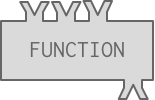
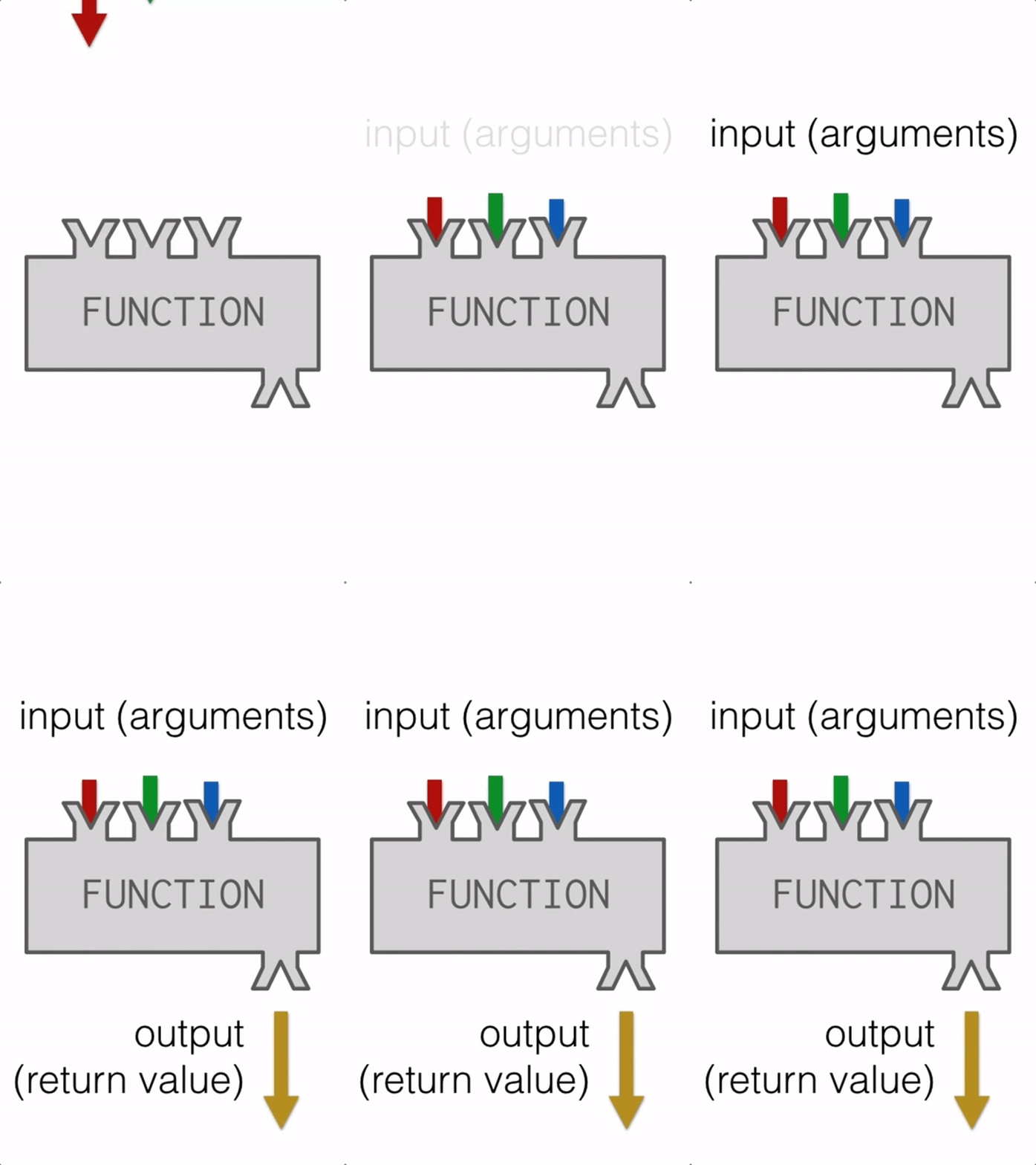
Functions are like factories that take in some material, do some operation, and then send out the resulting object.
In this case, we refer to the materials as arguments or inputs and the resulting object is referred to as output or return value. This process of taking input, doing something, and then sending back the output is demonstrated in the gif below.
It is also possible for programmers to define new functions in their programs. You will learn how to do that later in the course. For now, you just need to learn how to invoke, or call, a function, and understand that the execution of the function returns a computed value.
Python provides many built-in functions that follow the Input-Process-Output (IPO) model. Even though we do not see their internal code, we can still reason about what they do by identifying their inputs, the computation they perform, and the outputs they produce.
One function you have already been using is print.
-
Input: One or more values placed inside the parentheses
-
Process: Python converts those values into a human-readable form
-
Output: The values are displayed in the output window
For example:
print(3)
print(3 + 2)
print(10 - 4)
In each example, Python first evaluates the expression inside the parentheses, producing a single value. That value is then passed as input to the print function, which displays it as output.
Some built-in functions take multiple inputs, separated by commas. The order of inputs matters, because each position corresponds to a specific role in the function’s computation. For example, a function that compares two values treats the first value differently from the second.
Subsection 3.8.1 Seeing Output vs. Computing Values
Not every computation automatically produces visible output. Python can compute a value without displaying it. For example, consider the following code:
This expression has:
-
Input: The numbers 3 and 2
-
-
However, unless the result is passed to print, the output is not shown in the output window.
Here, print is responsible for making the output visible.
Subsection 3.8.2 Function calls as part of complex expressions
Function calls can appear anywhere a value is expected. The output of one function can become the input to another computation. Anywhere in an expression that you can write a literal like a number, you can also write a function invocation that produces a number.
In these examples:
-
Inner functions (abs, max, min) receive inputs and produce outputs.
-
Their outputs are used as inputs to larger expressions.
-
print displays the final result.
This kind of chaining, where the output of one function or expression becomes the input to another, is a common pattern in programming.
Let’s generalize this. To trace a chained expression, you work from the inside out, keeping track of each step’s input, process, and output.
-
Start with the innermost expression or function call. Identify its inputs and determine the value it produces.
-
Replace that part of the expression with its result. This makes the remaining expression simpler and easier to follow.
-
Repeat the process until only one value remains. Each step produces a single value that becomes the input to the next step.
-
Apply print last. Once the final value is computed, it is passed to print, which displays it.
Here is a step-by-step trace of print(max(3,7) - min(1,4)):
-
-
-
The expression becomes print(7 - 1)
-
-
Use CodeLense to see how these execution unfolds step by step.
When tracing, it often helps to write down each intermediate value or rewrite the expression after each step. This makes it easier to see how values flow through the program and is a powerful strategy for both understanding code and debugging errors.
Subsection 3.8.3 Functions Are Objects; Parentheses Trigger the Process
Functions in Python are themselves objects. Referring to a function by name identifies the object, but does not perform its computation.
If you try to execute this code, nothing will be printed in the output window because the function has not been invoked. This just refers to the print function object.
Adding parentheses invokes the function as the parentheses signal to Python that the function’s process should be executed.
You have attempted
of
activities on this page.